


September 14, 2026 · 5 min read · Kevin
What is DSD?
Direct Stream Digital (DSD) is a high-resolution audio encoding developed for the Super Audio CD (SACD). Standard CDs use a different encoding called Pulse Code Modulation (PCM). DSD is a totally different way of storing digitized audio when compared to PCM. We'll see below what the differences are, and how Dsd2Dxd allows you to convert between DSD and PCM.
Why should you care?
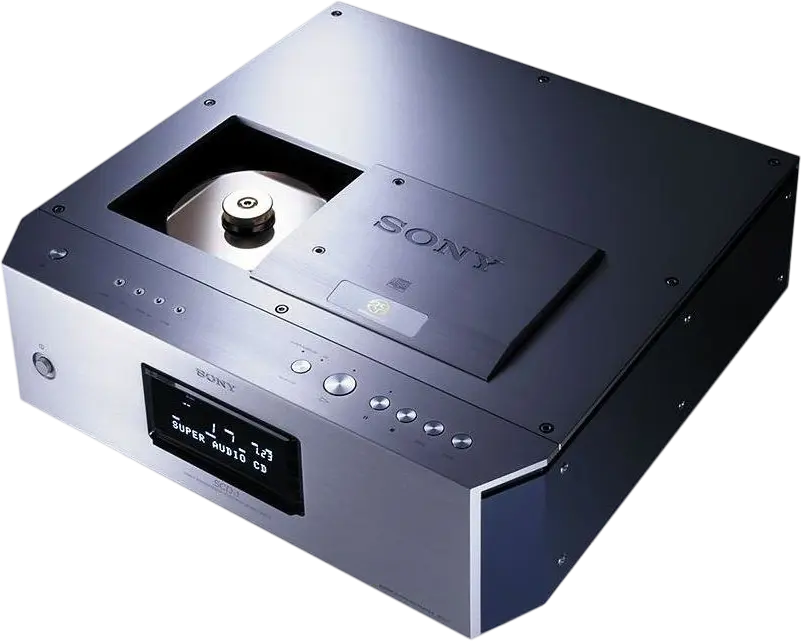 DSD playback is described by some audiophiles as sounding more "analog", or "softer" than PCM playback. And DSD has come a long way since the introduction of the Super Audio CD (SACD). Now you don't have to buy an SACD player to experience DSD recordings; many online marketplaces and communities offer DSD files for download.
To hear a DSD file played back exactly the way it was intended to sound, you need both the correct player app, and the correct digital-to-analog converter (DAC).
What does this have to do with Dsd2Dxd?
Many apps and DACs now support playback of DSD files, but not all of them do. This is where Dsd2Dxd comes in. If your app or DAC doesn't support playback of DSD files, you can convert them to PCM files with Dsd2Dxd to use them anywhere.
This comes in especially handy for smartphones. Even if your smartphone music player app of choice is able to play back DSD files, it will almost certainly convert them to PCM during playback, and the quality will most assuredly not be as high as if you were to convert it to PCM ahead of time with Dsd2Dxd. DSD files are also quite large, so converting them to PCM files saves storage space, which is not so cheap these days!
How is DSD different from PCM?
As you may know, sound waves are really just patterns of changing air pressure that spread out from something that vibrates. There is more than one way to go about capturing these changes in air pressure digitally. As an example, let's first compare how standard CDs (PCM) and SACDs (DSD) do it.
Standard CDs capture audio with 16 bit resolution, 44,100 times per second. This means it has a sampling rate of 44.1 kilohertz (kHz), and any given sample can store one of 65,536 possible values.
SACDs instead only use one bit resolution, but have a much higher sampling rate; normally 2,822,400 samples per second, or about 2.8 megahertz (MHz). This 1 bit resolution means each sample can only store one of two values: a zero or a one.
We'll see the differences visually below.
PCM (high bit resolution, low sampling rate)
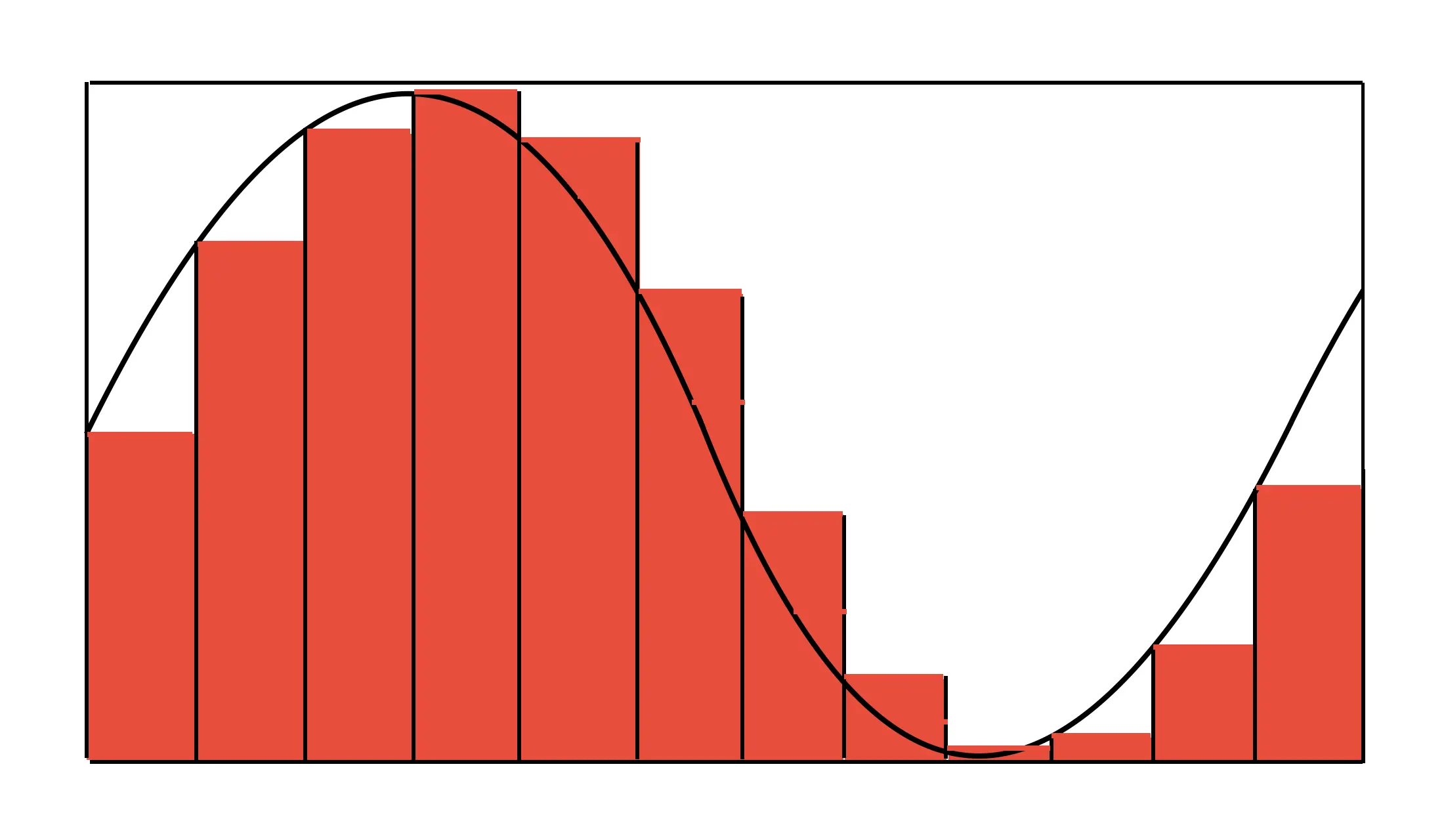 Notice the peak and valley of the solid line here. It's showing how the air pressure of a sound wave changed over a brief window in time, with a peak for the high air pressure, and a valley for the low air pressure.
When we capture this sound wave as PCM, like on a standard CD, we assign a number to each sampling point that represents the air pressure at that moment. In our illustration, these numbers are represented by the height of the vertical bars.
DSD (1 bit resolution, high sampling rate)
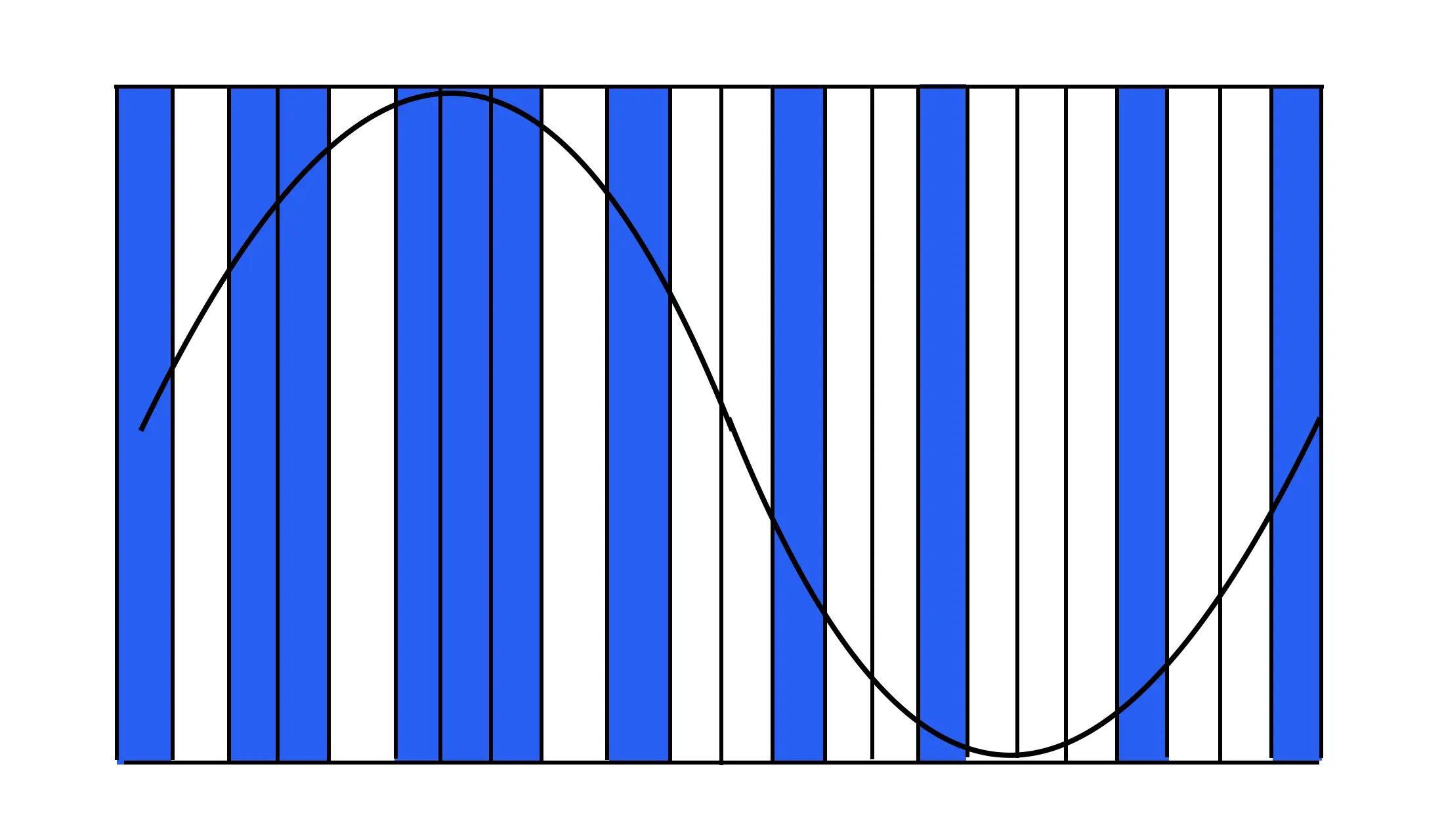
Here again we have the same sound wave, but now we have only two possible values: ones (blue bars), and zeros (white bars). Notice how these bars are narrower. In reality they should probably be much, much narrower than the PCM bars to show the true scale of the difference, but you get the idea.
What we can do with a bunch of narrow bars is arrange them so that as the sound pressure rises, we have more ones, and as the sound pressure falls, we have more zeros.
Thinking in pulses
Another way to think about PCM vs. DSD is to think of the "bars" in our illustrations as "pulses", or momentary bursts of energy.
For PCM (pulse code modulation), as the sound wave gets higher or lower, the pulses get higher or lower. The higher the pulse, the higher the number we use to represent the sound wave at that moment.
Another name for DSD is "pulse density modulation" (PDM). In PDM we only have one kind of pulse. So for DSD, as the sound wave gets higher, we have a higher density of pulses. A pulse (blue bar) gets stored as a one, and the absence of a pulse (white bar) gets stored as a zero.
How do you know if you have a DSD file or a PCM file?
DSD file names usually either end in ".dsf" or ".dff". There is also a compressed DSD file format called Wavpack, and files in this format end in ".wv".
The PCM files Dsd2Dxd creates for you end in either ".wav", ".aiff", ".flac", or ".m4a". Those last two are for the FLAC and Apple Lossless formats, and both use "lossless" compression to save on storage space. The "lossless" part just means you don't lose any playback resolution, even though the files use less storage than .wav or .aiff files.